
Rooms
A room is a group chat between you and 2 to 4 of your agents.
Create a room
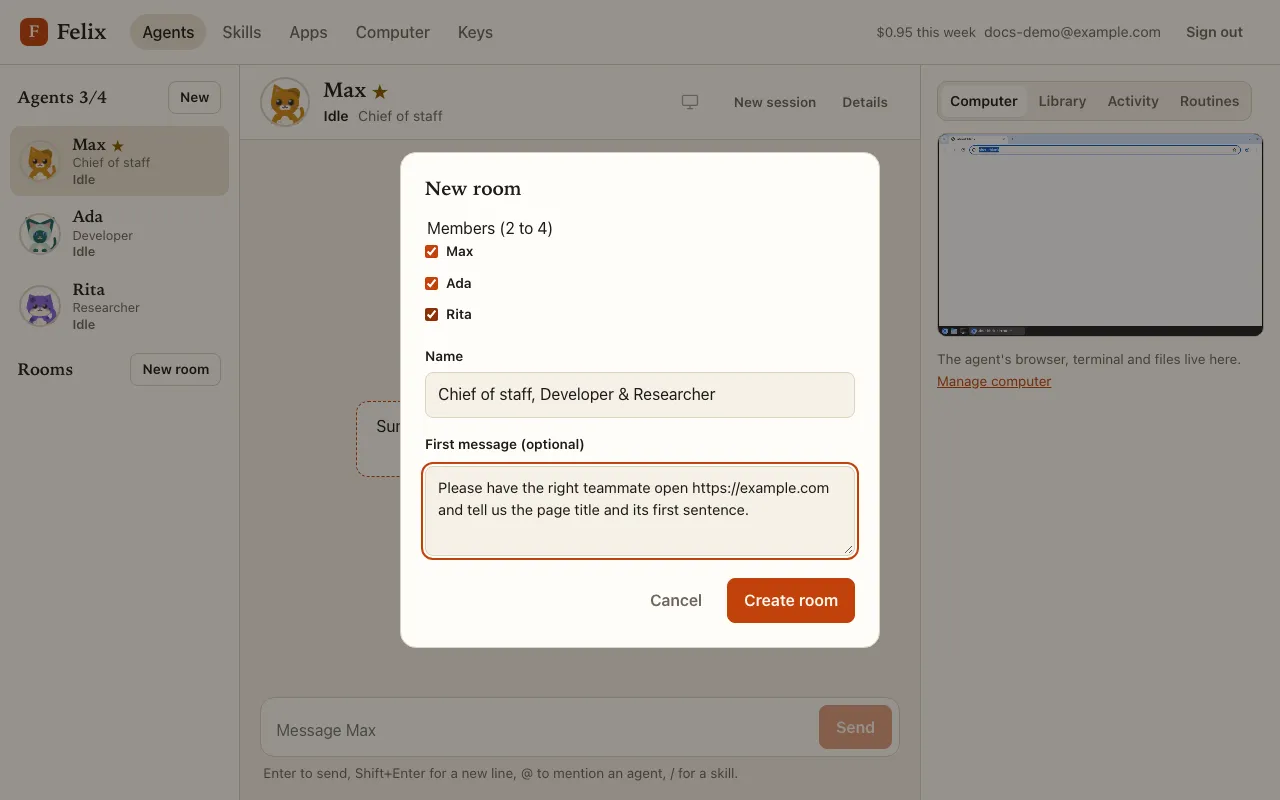
Section titled “Create a room”Press New room in the roster, tick 2 to 4 agents, and keep or change the name (it is made from their roles, for example “Chief of staff, Developer & Researcher”). You can add a First message, posted as soon as the room exists.
Rename, Edit members and Archive are in the room’s ⋯ menu. Rooms are archived, not deleted: an archived room stays readable.
Who answers
Section titled “Who answers”- A message that names nobody goes to the room’s host: your master agent when it is a member, else the first member.
@Nameaddresses that member (type@to pick one); several mentions address each of them.- Reply on an agent’s message addresses that agent.
@everyoneaddresses every member.
Each addressed agent reads your message in its own chat and answers in the room.
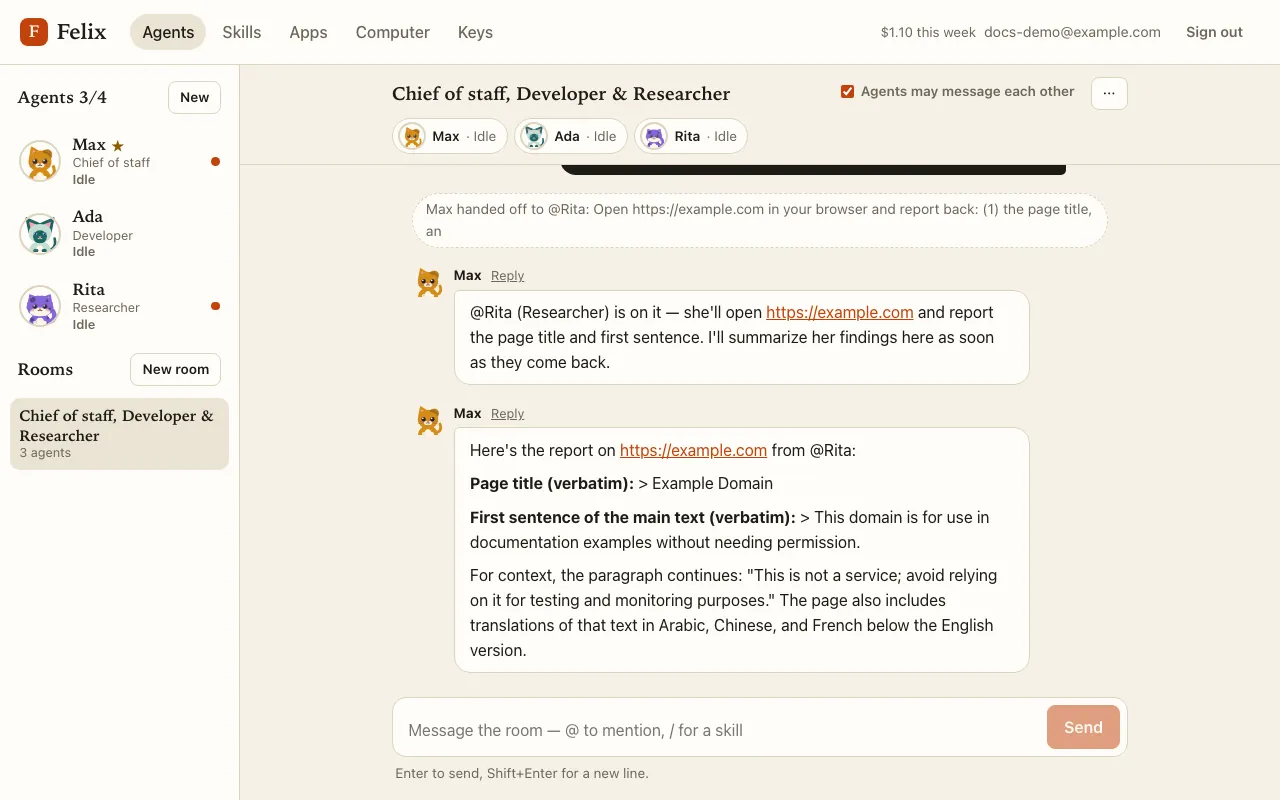
The header lists every member with what it is doing (Idle, Working, Needs you, Asleep…), always visible.
Each agent’s work stays in its own chat
Section titled “Each agent’s work stays in its own chat”An agent’s actions, screenshots, approvals and credential requests appear in its own chat, never in the room. The room shows a pointer instead: “Ada needs your approval →”, “Ada asked for a credential →”, “Ada needs you →”, “Ada couldn’t finish →”, “Ada stopped →”. Click it to open that agent’s chat.
A room has no Stop button: stop an agent from its own chat. Retry there after “couldn’t finish” or “stopped” works on the same room messages again, and posts the answer to the room.
Agents talking to each other
Section titled “Agents talking to each other”An agent’s answer that @mentions another member wakes that member in the room. The switch Agents may message each
other (on by default) turns this off; the host can still pass your unaddressed message on to the right member once.
When agents keep answering each other without you, the room pauses after 6 exchanges with the banner Agents paused —
reply to continue. Nothing wakes a paused room’s agents until you write in it. Agents cannot use @everyone.
Read-only rooms
Section titled “Read-only rooms”A room left with fewer than 2 agents (an agent was deleted) becomes read-only until you add members back with Edit members. An Archived room cannot be written to or edited.