
Credentials (SSH key, GitHub token)
An agent can only push code or log in to servers with credentials you give it. Credentials belong to one agent: an SSH key or token you give Ada is not on Rita’s computer.
Add a credential
Section titled “Add a credential”Open the agent’s Details → Credentials:
- SSH key: Generate a key creates one for the agent; Copy the public key shown and add it where it should be
accepted (a GitHub deploy key, a server’s
authorized_keys). Or Paste a key: an unencrypted OpenSSH-format ed25519, RSA or ECDSA (P-256/P-384) key, then Save key. Passphrase-protected keys are refused; remove the passphrase withssh-keygen -p -f <key>. - GitHub token: paste it and press Save.
gitandghon the agent’s computer are then signed in to GitHub with it.
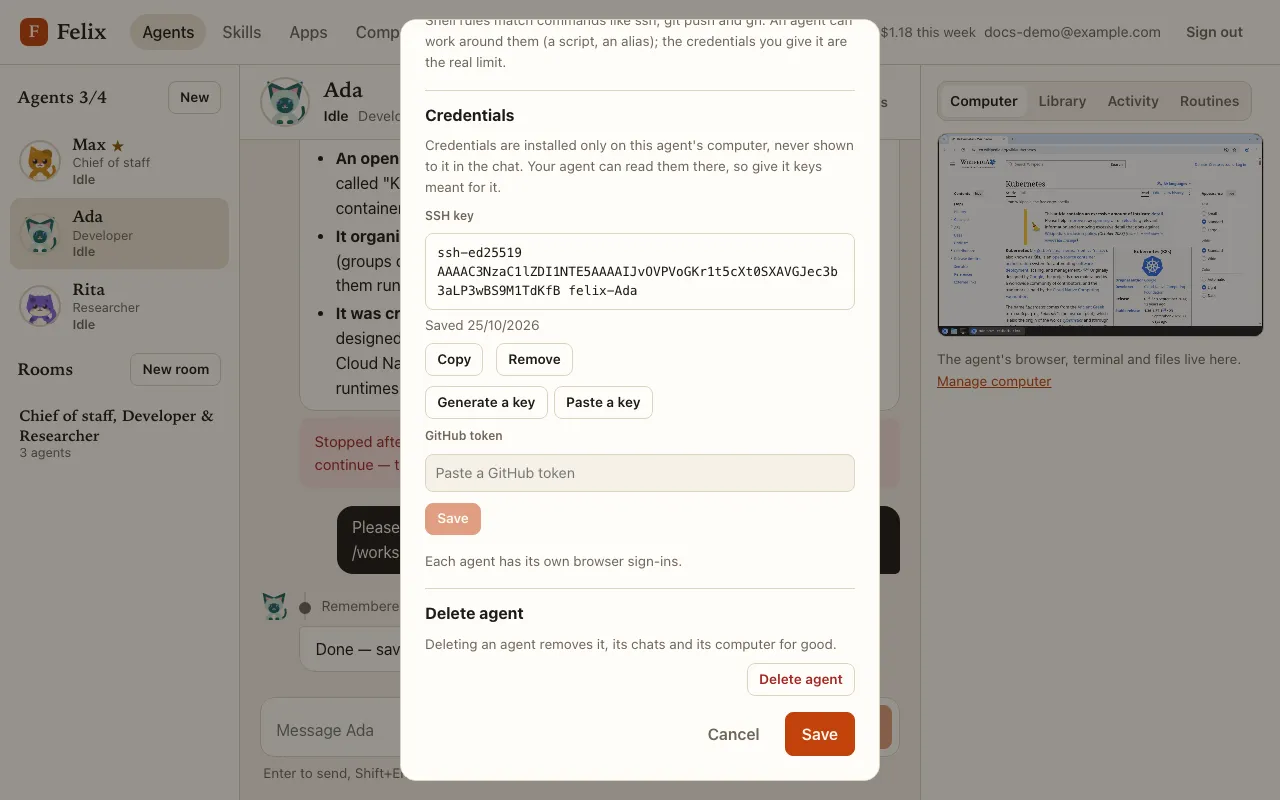
Save replaces what is stored and Remove deletes it. Felix never shows a stored key or token again, only the public half of an SSH key and the date it was saved. An agent can also ask you for one in the chat: see When the agent needs you.
What credentials do and do not protect
Section titled “What credentials do and do not protect”- Credentials are stored encrypted, installed only on that agent’s computer, and never put in the conversation.
- But the agent works on that computer, so it can read its own key and token there, and anything it can read it can use. Give an agent keys meant for it: a deploy key, a token with a narrow scope, not your personal ones.
- Felix hides credential values from what the agent sees of command output and files, as a best effort: output that is cut off or re-wrapped can still reveal a fragment.
- If you remove a credential while the agent is working, check that it is gone after the task ends.
Pushing with a credential still asks for approval (unless you allowed it always).