
Add your keys
Felix does not provide model access: each user brings their own keys. Open Keys in the top bar.
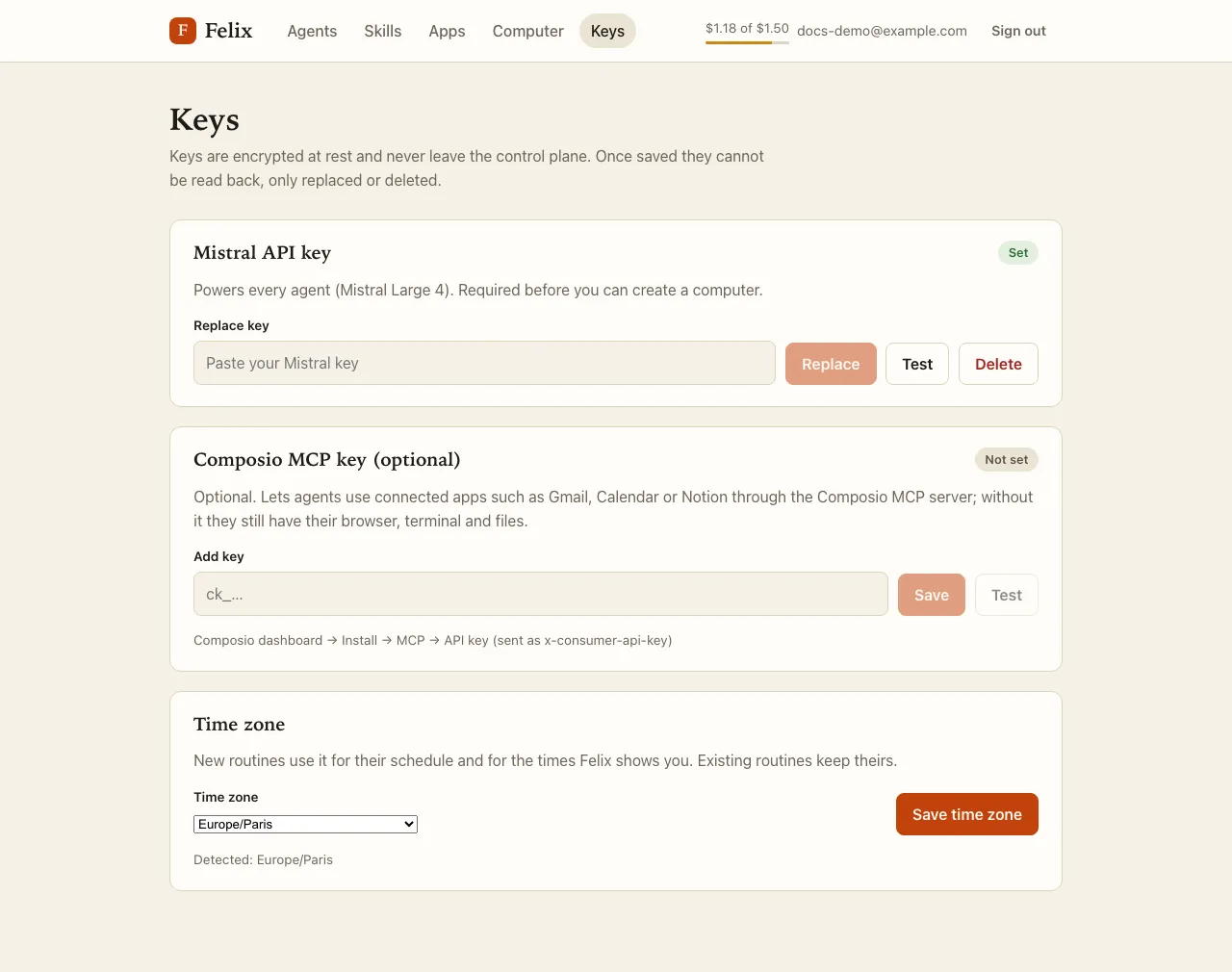
Keys are write-only. After you save one, the page only shows Set or Not set: a key can be replaced or deleted, never displayed again. Keys are encrypted in Felix’s database and never copied into your computer, so your agents never see them.
Mistral API key (required)
Section titled “Mistral API key (required)”It powers every agent with Mistral Large 4, and you need it before you can create your computer. Paste it and press Save. Felix checks it with Mistral right away:
| Result | Meaning |
|---|---|
| Key saved. | Mistral accepted the key and it can use Mistral Large 4. |
| Mistral rejected this key. | The key is invalid or revoked. Nothing was saved. |
| Key saved, but this key cannot use Mistral Large 4 yet. | The key is valid, but your Mistral plan does not include the model. Agents will not run until it does. |
| Key saved, but Mistral could not be reached to verify it. | Mistral was unavailable. The key is kept; press Test later. |
Your Mistral key also gives your agents Mistral’s built-in apps (Gmail, Google Calendar, GitHub, Notion, Slack and more): no other account is needed for those.
Composio MCP key (optional)
Section titled “Composio MCP key (optional)”Composio connects apps that the built-in apps do not cover, such as LinkedIn or Trello. Without it, your agents still have their browser, terminal and files, and the built-in apps. You can add it at any time.
Find it in the Composio dashboard under Install → MCP → API key. It starts with ck_ (a consumer key; a
Composio project API key will not work). It is stored as entered: press Test to check it.
Testing a key
Section titled “Testing a key”Each key has a Test button. If the field holds a key, Felix tests that key without saving it; if the field is empty, it tests the saved key. Testing never changes what is stored.
| Key | Result | Meaning |
|---|---|---|
| Mistral | Key works — Mistral Large 4 is available. | All good. |
| Mistral | Invalid key. | The key is invalid or revoked. |
| Mistral | Valid key, but Mistral Large 4 is not available on this plan. | Check your Mistral plan. |
| Mistral | Mistral could not be reached. Try again. | Mistral was unavailable or rate-limited the check. |
| Composio | Key works. | Composio accepted the key. |
| Composio | Invalid key. | Wrong, revoked, or not an MCP consumer key. |
| Composio | Composio could not be reached. Try again. | Composio was unavailable or slow. |
Time zone
Section titled “Time zone”Below the keys, Time zone sets your zone (for example Europe/Paris). The first time you sign in, Felix sets it
from your browser; Detected: … shows what the browser reports. Felix uses it for the times it shows you, for
new routines and for your weekly budget. Pick a zone and press Save time
zone. Routines that already exist keep the zone they were created with.