
Troubleshooting
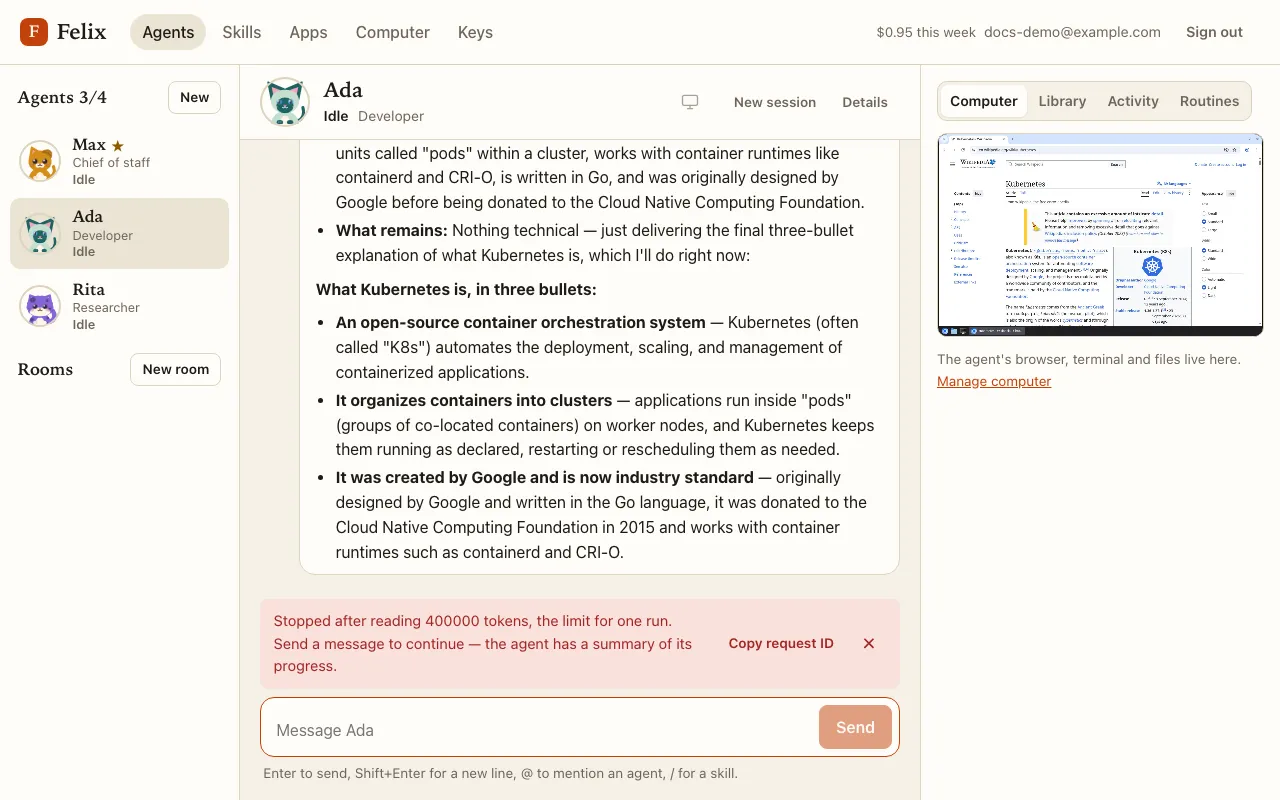
Errors appear above the message box with a short explanation, the actions that fit, and Copy request ID. Give that ID to your administrator: it identifies the failed request in the server logs.
Errors in the chat
Section titled “Errors in the chat”| Error | What to do |
|---|---|
| Your agent’s computer is not responding / not available | Retry. If it keeps failing, Restart computer (refused while an agent works). Files and conversations are kept. |
| All agent slots are in use right now | Every agent slot on the server is taken. Retry in a few minutes. |
| Your computer is halted | Your account is suspended; ask your administrator. |
| Composio is not answering, so the action you allowed was not run | Retry runs the allowed action once. |
| Mistral rejected your API key / the key cannot use Mistral Large 4 / no Mistral key | Open Settings (the Keys page), fix the key, then send your message again. |
| Mistral rejected the request | Send a different message, or start a New session. If it keeps happening, give the request ID to your administrator. |
| Stopped at a limit for one task | Nothing is broken: send a message to continue. The agent has a summary of its progress. |
| The routine that started this run was deleted | The routine is gone: send a message instead. |
| Mistral is not answering, or anything else | Retry. |
The status line
Section titled “The status line”When Mistral or Composio failed within the last 10 minutes and has not answered since, a line appears under the top bar on every page:
Mistral isn't answering right now — runs may fail.Composio isn't answering right now — connected apps may not work.
It only reflects outages (server errors, timeouts), never your own key or message. It goes away with the next successful call. Nothing is blocked: your agents keep trying.
Common situations
Section titled “Common situations”The agent says “Starting Ada’s computer…” for a while. The first start after an update takes longer. If its status reads Waiting for a slot, every agent slot on the server is busy; the agent keeps trying for up to 10 minutes.
The agent is “Blocked”. A task stopped on an error. Open its chat: the error notice says what happened and offers Retry.
“Computer problem”. The agent’s computer failed. Click its screen preview to try again, or press Restart computer on the Computer page.
The agent does not react to my room message. It may be waiting for you in its own chat (an approval or a request): decide there first. A room message never answers a wait.
My message did not reach a routine’s run. By design: a routine run never reads chat messages. Your message gets its own run as soon as the routine run ends.
Felix can’t reach its server right now. The page could not load your account: check your connection and press Try again.
A message could not be sent (for example while offline): it shows Retry, and your text stays in the box.