Chat, steer and stop
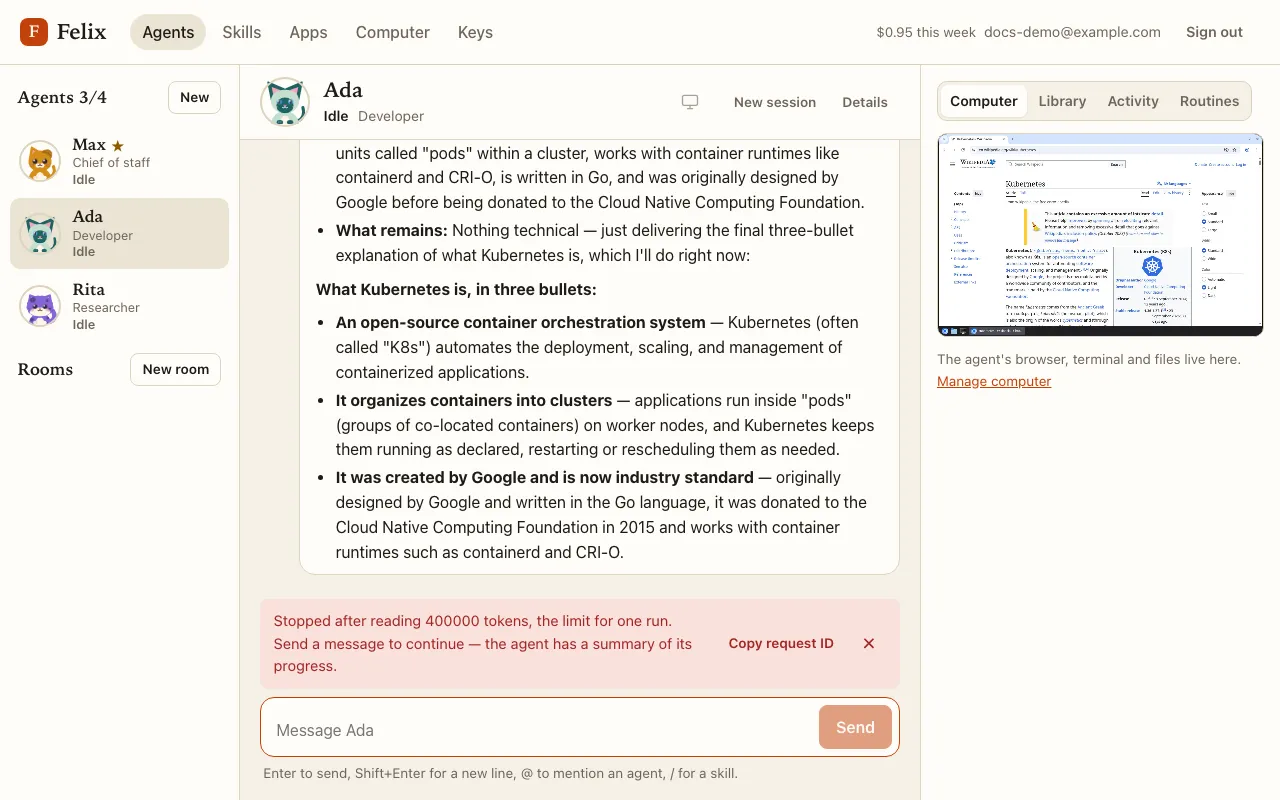
The Agents page has three columns: the roster of your agents on the left, the chat in the middle, and a panel on the right with the agent’s live screen (Computer), its files (Library), the actions that needed your approval (Activity) and its Routines. On a narrow window the panel opens from the screen icon in the chat header; on a phone the roster becomes a strip above the chat.
Send a task
Section titled “Send a task”Type in the box at the bottom and press Enter (Shift+Enter for a new line). Messages are limited to 20,000 characters.
- Typing
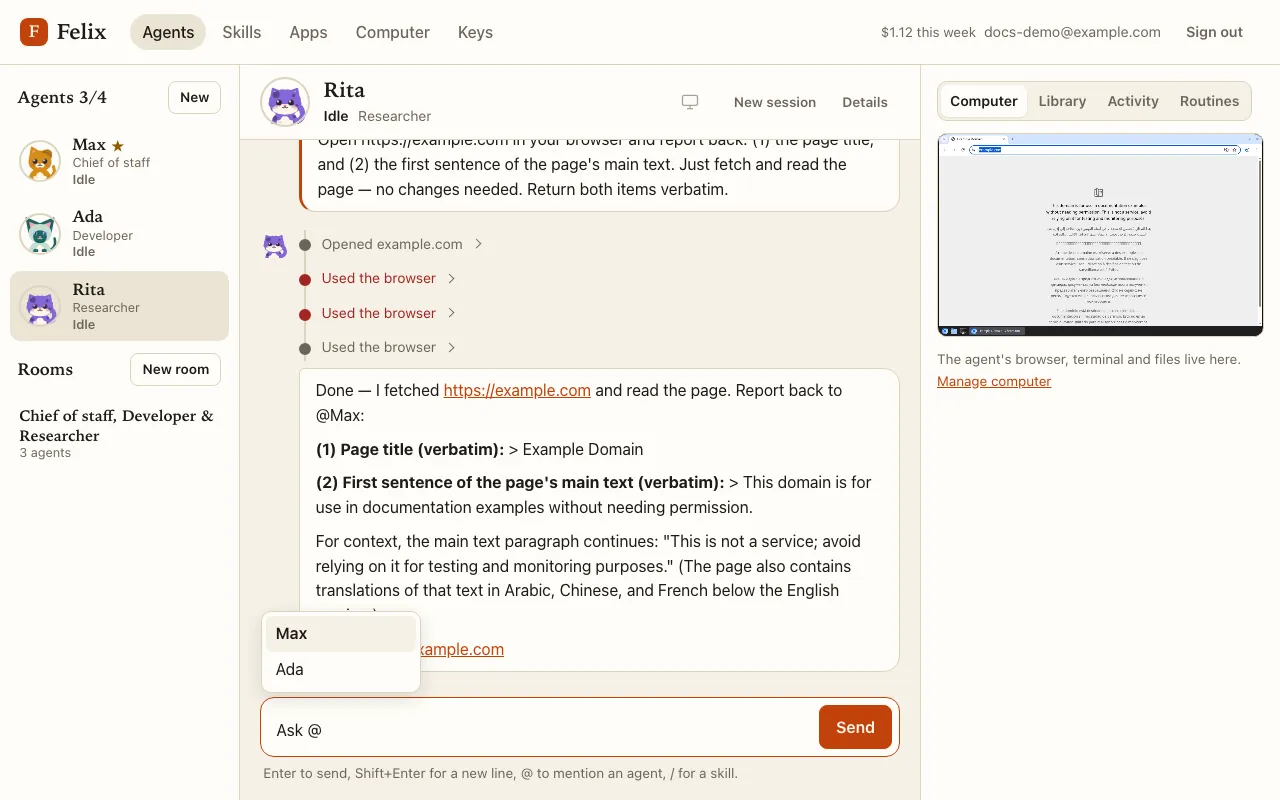
@at the start or after a space lists your other agents (↑/↓ and Enter or Tab, or click; Escape closes it). In an agent’s own chat a mention is plain text for that agent: your master can then delegate to the agent you named, but it wakes nobody else. - Typing
/lists your skills.
Follow the work
Section titled “Follow the work”While the agent works you see:
- its status next to its cat, in the roster and in the chat header: Thinking, Working, Waiting for you… (see Faces and statuses);
- a live current action line under its name (“Running
ls /workspace”, “Browsing github.com”); - each action as a compact row in its turn: “Opened en.wikipedia.org/wiki/Cat”, “Ran
git init …”, “Wrote /workspace/notes.md”. An action that never ran says so (“Did not rungit push”).
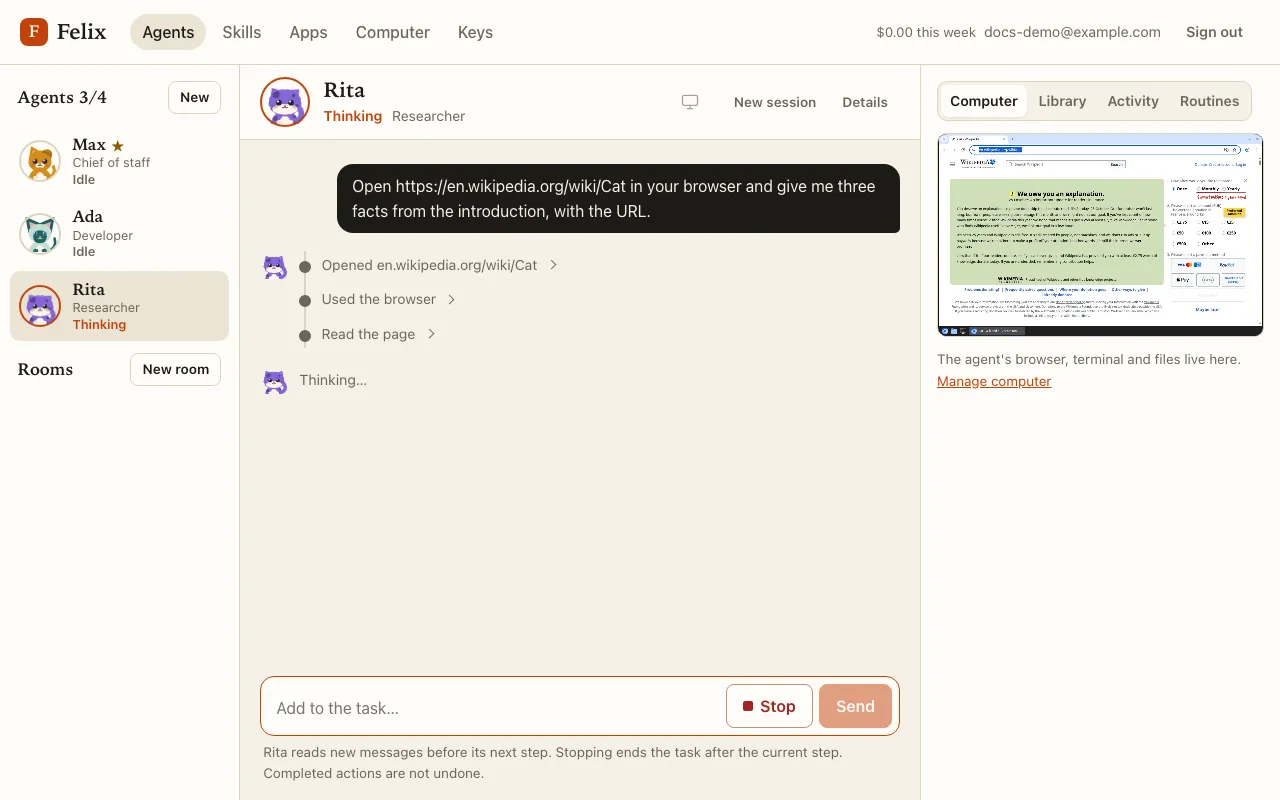
Click a row to see what the agent sent and what came back:
Steer while it works
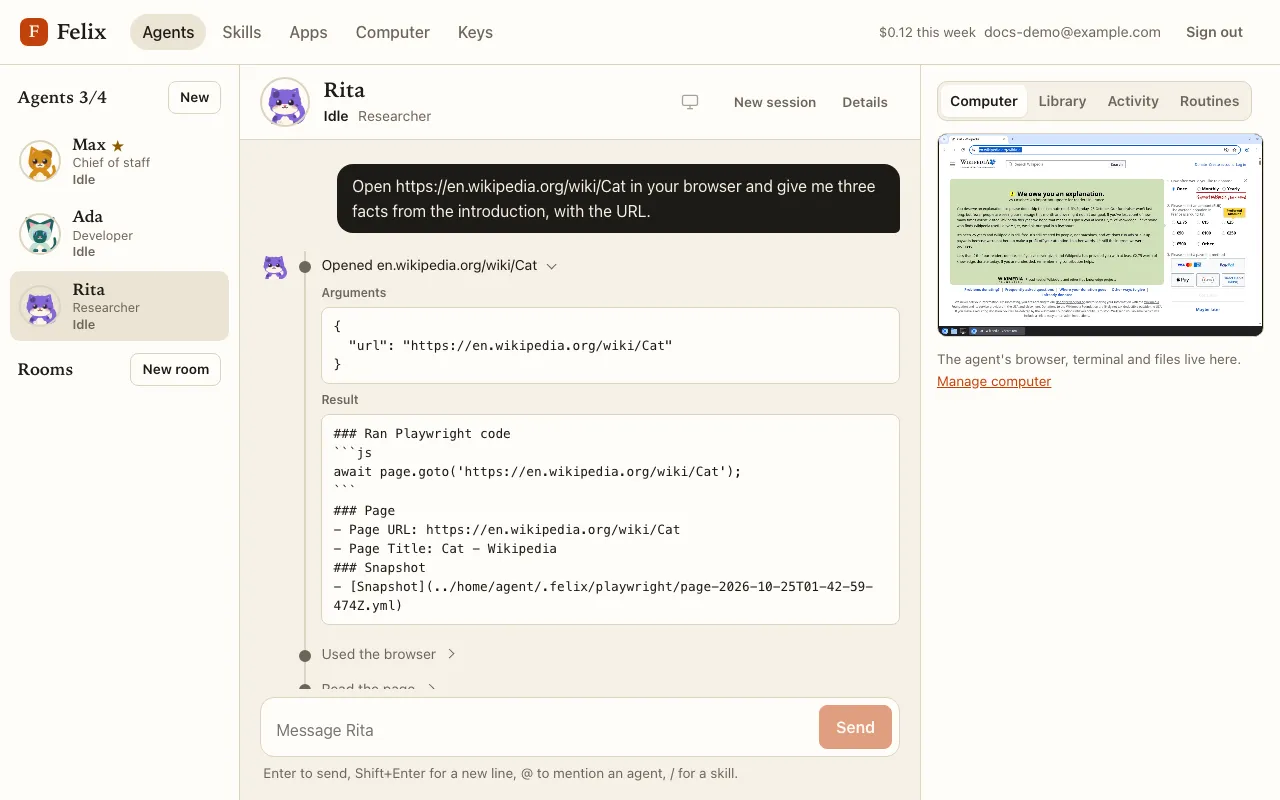
Section titled “Steer while it works”The message box stays usable while the agent works (“Add to the task…”). A message sent then is added to the current task: the agent reads it before its next step. Use it to correct or redirect it (“skip the PDF, the web page is enough”).
Stop (next to Send while the agent works) ends the task after the current step. If the agent had already done some work, it first posts a short summary of what it did, found and left to do, so your next message picks up from there. Stopping does not undo what was already done: a file written stays written.
Stopping your master agent also cancels the tasks it handed to other agents (see Delegation and messages).
Limits of one task
Section titled “Limits of one task”One task is limited to 40 actions and 400,000 tokens read. At a limit the agent stops, posts a summary of its progress, and the chat says so: send a message to continue.