
Several agents and the master
You can have up to four agents. Create more with New in the roster; give each a clear role (“Developer”, “Researcher”) so they, and your master agent, know who does what.
- All of them share your one computer and its
/workspacefolder; each has its own container, browser and home folder. Browser sign-ins are per agent: a login done in Ada’s browser is not available to Rita. Connected apps are the exception: they belong to your account. - Names are unique, whatever the case (“Ada” and “ADA” are the same name).
everyoneis reserved for@everyonein rooms. - A fifth agent is refused: delete one first (Details → Delete agent).
The master agent
Section titled “The master agent”Details → Make master makes an agent your master agent. It is listed first with a star, it answers unaddressed messages in the rooms it belongs to, and it is the only agent that can hand tasks to the others (see Delegation and messages). There is at most one.
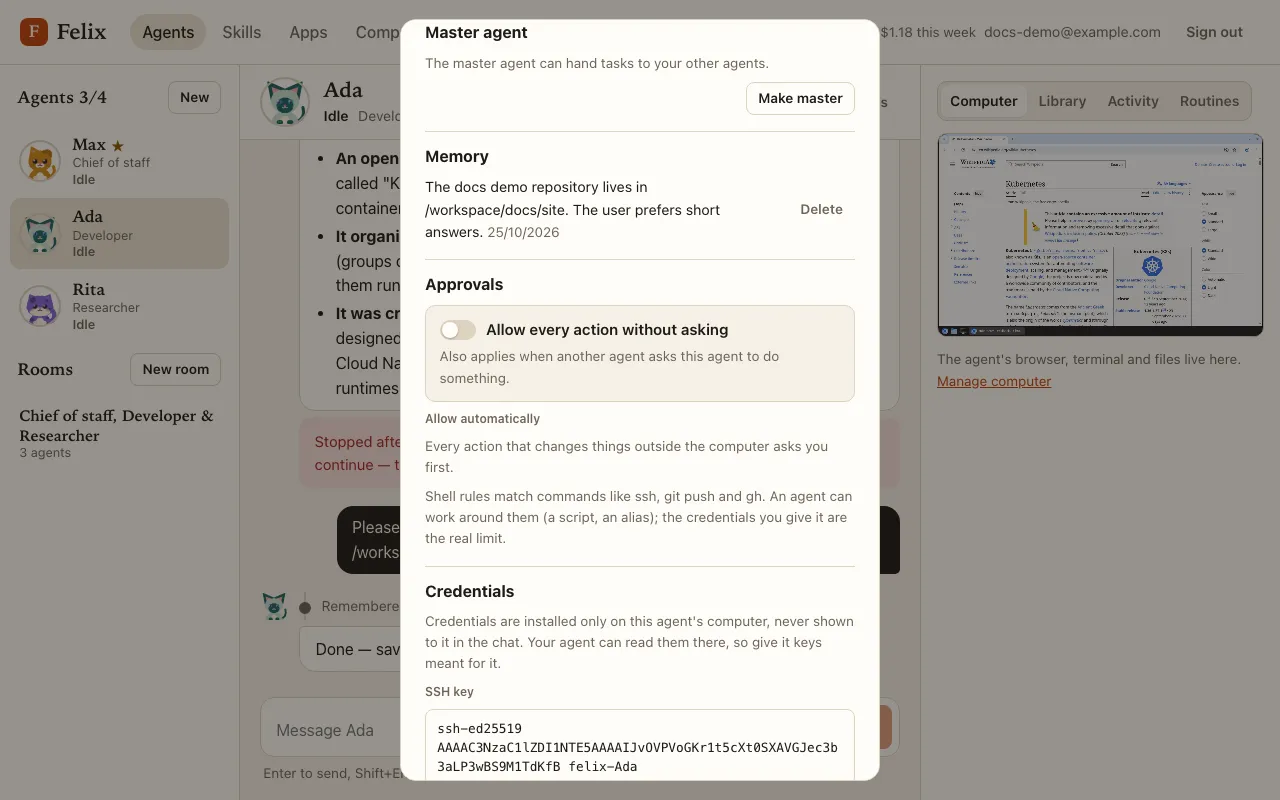
- When another agent is already master, Make master asks first (“Max is your master agent. Make Ada master instead?”). On the master, Replace with a different agent moves the role in one step and Remove master role leaves you with no master.
- With no agent yet, Create a master agent starts from a “Chief of staff” template whose instructions are to hand each task to the right teammate.
- The master’s computer never sleeps, so it is always ready to answer. It holds one of the server’s agent slots all the time.
How isolated are agents from each other?
Section titled “How isolated are agents from each other?”Each agent runs in its own container on its own network: an agent cannot reach another agent’s browser, screen or
tools. Each has a memory limit, so one runaway agent cannot starve the others. But all agents share /workspace (they
can read and overwrite each other’s files there, which is how they hand work over). Treat your agents as one team of
coworkers, not as strangers.
Deleting an agent
Section titled “Deleting an agent”Delete agent at the bottom of Details asks first and lists what goes:
- its current task is stopped (a “Name stopped →” pointer appears in the rooms it was answering);
- its chats, runs, memory and routines are deleted, and so are its container, home folder, browser sign-ins and credentials;
- it leaves its rooms, which keep their messages (a room left with fewer than two agents becomes read-only);
- a task the master had handed to it ends: the master gets “Result from @Name: Name was deleted.” and carries on.
Files it saved under /workspace stay for your other agents, and its usage still counts in your
totals.