
What is Felix?
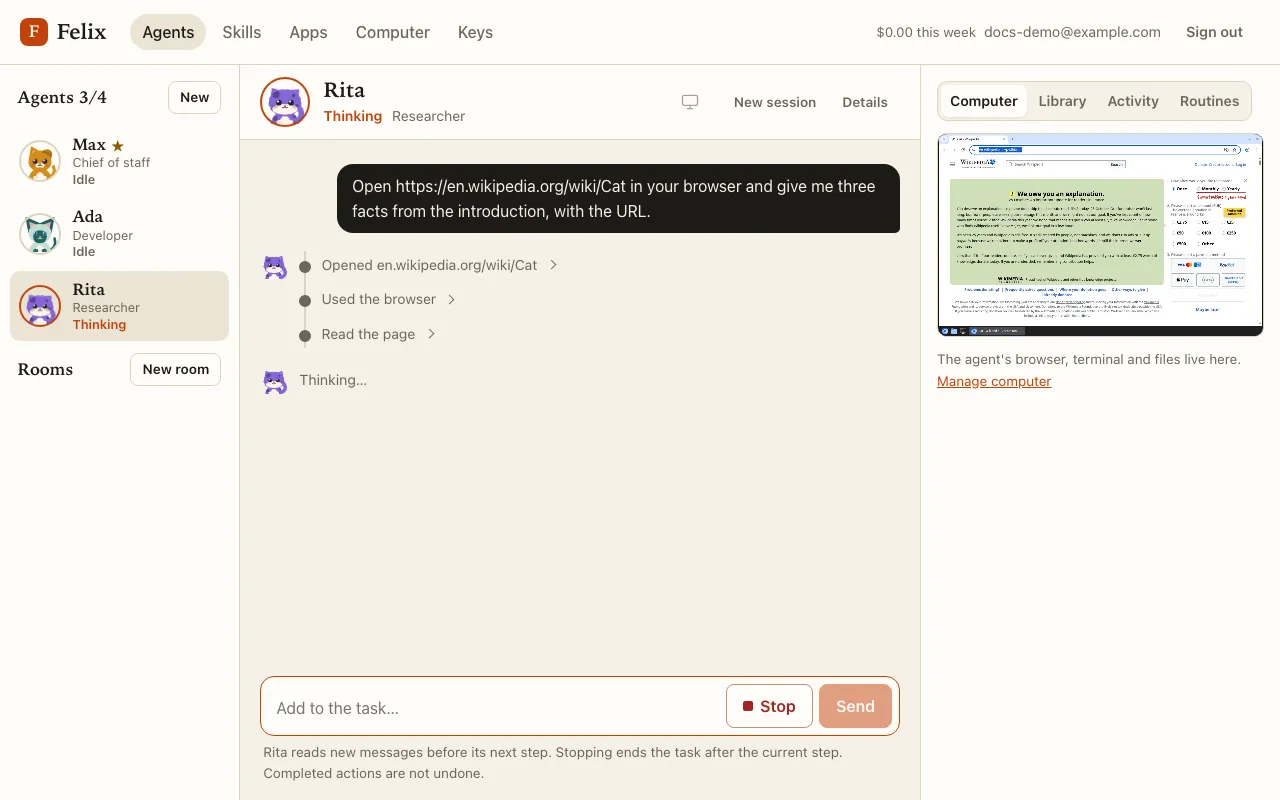
Felix gives you a small team of AI coworkers. Each one is an agent powered by Mistral Large 4, and each agent
has its own computer: a web browser, a terminal and a home folder, plus a /workspace folder shared by the
whole team. You talk to agents in a chat, watch their screens live, and approve anything that leaves their
computer.
The building blocks
Section titled “The building blocks”| Thing | What it is |
|---|---|
| Your computer | One virtual machine that belongs to you. It stays on and keeps every file on its data disk. |
| Agents | Up to four. Each has a name, a role, instructions and a cat for a face, and its own container on your computer (browser, terminal, home folder). |
| The master agent | Optional. It answers unaddressed messages in rooms and hands tasks to the other agents. |
| Rooms | Group chats between you and two to four of your agents. |
| Approvals | Sending, publishing, pushing and similar actions wait for you on a card in the chat. |
| Apps | Gmail, Google Calendar, GitHub, Notion, Slack and more, through Mistral’s built-in apps or Composio. |
| Skills | Instructions you write once and call with /name in any message. |
| Routines | Work an agent does on its own, on a schedule or when an outside service calls a webhook. |
What you need
Section titled “What you need”- An invitation. Felix is invitation-only: ask your administrator to invite your email address.
- A Mistral API key. Felix does not provide model access: you bring your own key, and Mistral bills it directly. See Add your keys.
- Optionally, a Composio key, to connect apps that Mistral’s built-in apps do not cover (LinkedIn, Trello…).
Your first ten minutes
Section titled “Your first ten minutes”- Sign in with the link Felix emails you.
- Add your Mistral key on the Keys page.
- Create your computer on the Computer page.
- Create your first agent and send it a task.
- Watch it work, then read Approvals and drafts before giving it access to anything that matters.