
Skills
A skill is a named set of instructions you write once and reuse, for example weekly-report: how you want the report
structured, which sources to read, what to skip. Skills belong to your account, so every agent can use them.
Create a skill
Section titled “Create a skill”Open Skills in the top bar and press New skill.
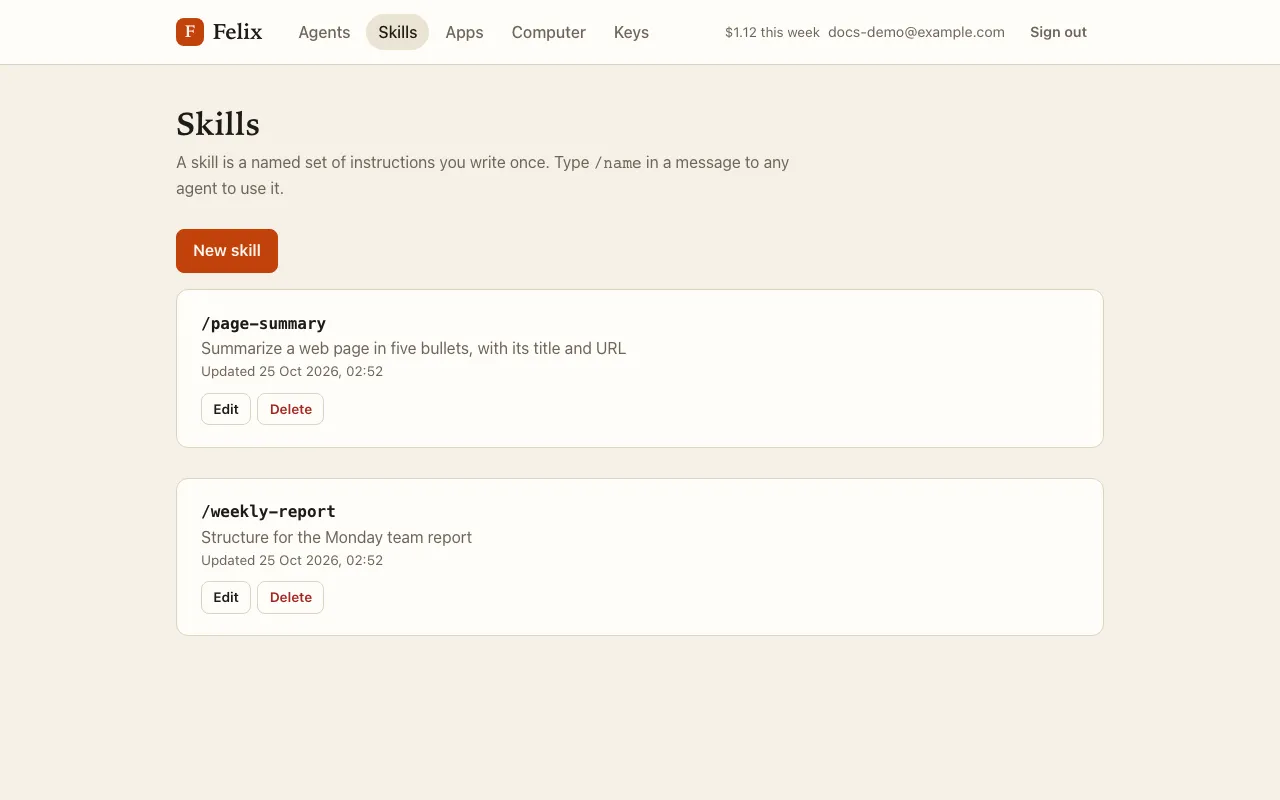
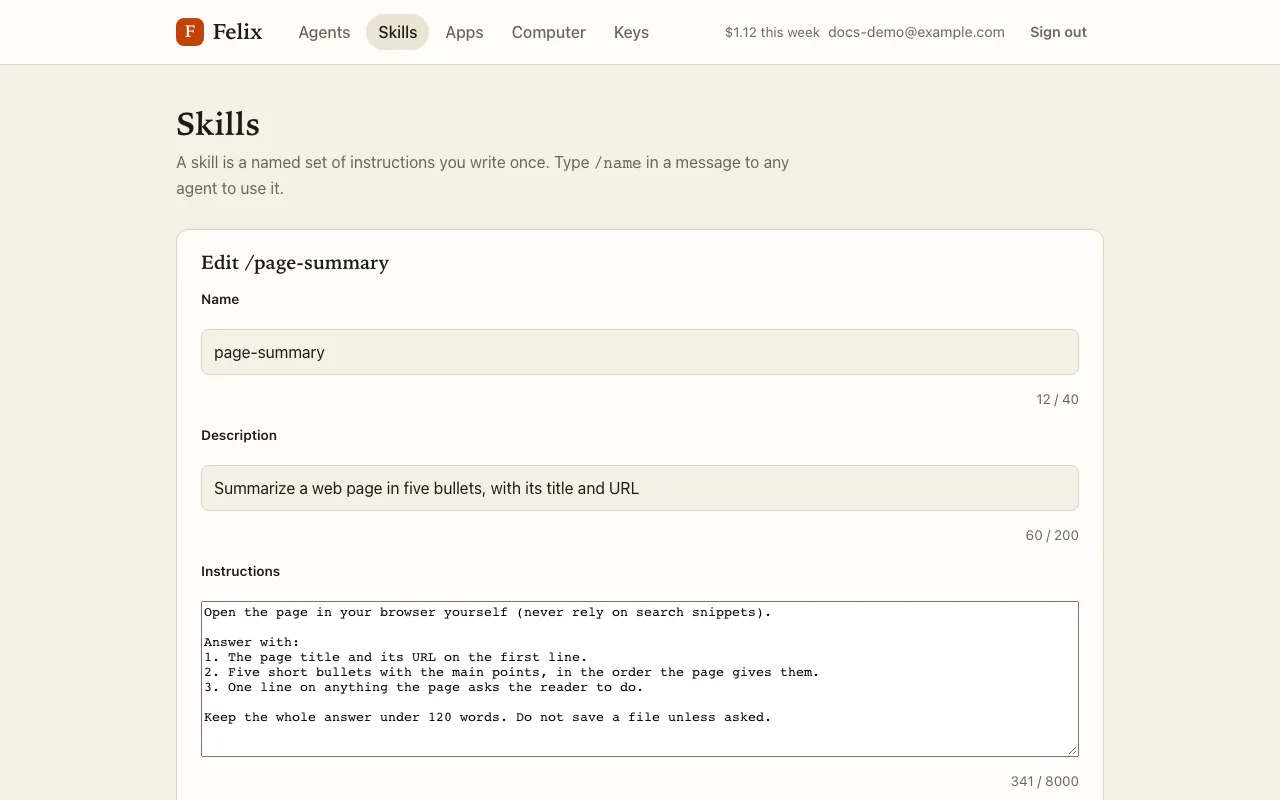
- Name: lowercase letters, digits and dashes, up to 40 characters.
- Description: up to 200 characters, shown in the
/list. - Instructions: 1 to 8,000 characters.
You can keep up to 100 skills. Delete asks first and says how many routines use the skill; those routines keep running without it.
Use a skill
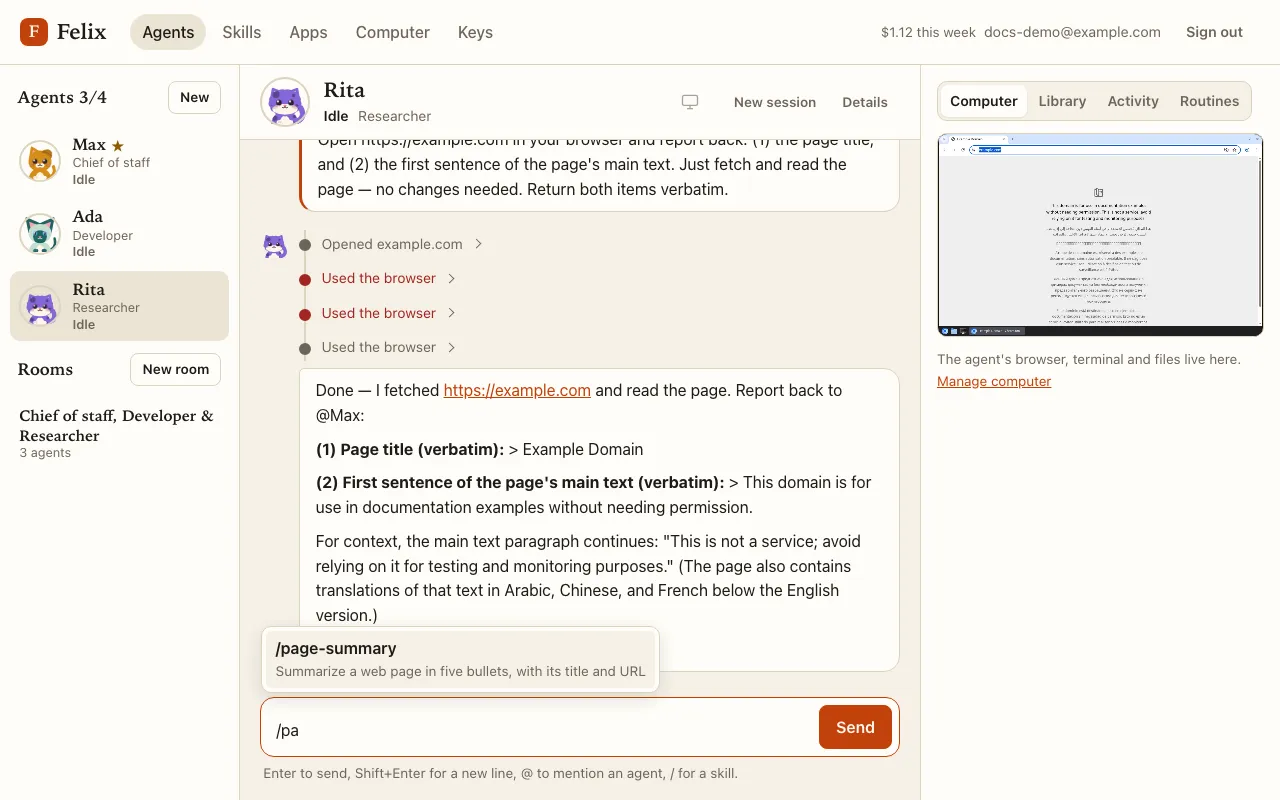
Section titled “Use a skill”Type / at the start of a message or after a space: a list of your skills opens with their descriptions. Keep typing
to narrow it, then press Enter or Tab (or click) to insert /name .
The agent follows the skill’s instructions for that task: “Please do /weekly-report for this week”. In your messages,
each /name that is one of your skills shows as a chip; hover it to read the description.
- At most 3 skills per message and 16,000 characters of instructions in total; a skill that does not fit is not loaded, and the agent is told so.
- Slashes inside paths or addresses (
/workspace/notes) are ignored. - Only messages you type load skills (not messages from other agents or outside services). A routine can name a skill to follow on every run.
Let an agent save a skill
Section titled “Let an agent save a skill”Ask: “Save what we just did as a skill called weekly-report”. Saving a skill asks for your approval first, with the instructions shown on the card.