
Usage and budget
Every call your agents make to Mistral is counted as it happens: tokens in (what the agent reads), tokens out (what it writes) and an estimated cost. The top bar always shows this week’s cost; click it to open the Usage page.
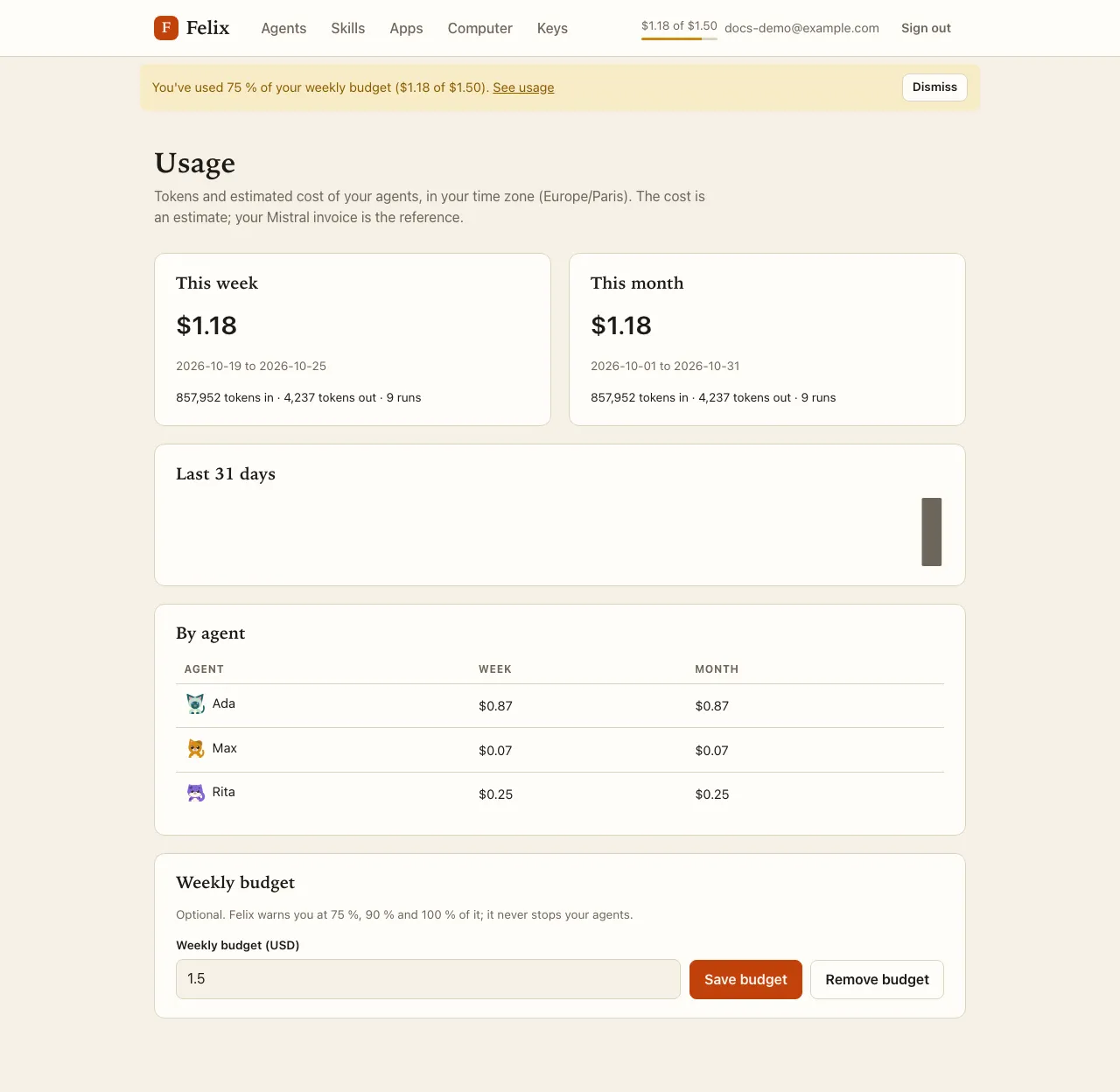
The Usage page
Section titled “The Usage page”- This week and This month: cost, tokens in and out, and runs (a run is a task that called Mistral at least once). Totals include tasks that are still running.
- Last 31 days: one bar per day; hover a bar for the day and its cost.
- By agent: each agent’s cost this week and this month. Deleted agents’ usage stays, on one Deleted agents line; renaming an agent keeps its history.
Weeks start on Monday at 00:00 and months on the 1st, both in your time zone.
Weekly budget
Section titled “Weekly budget”Under Weekly budget, enter an amount in USD (from $0.01 to $10,000, at most two decimals) and press Save budget. Felix then warns you when this week’s cost reaches 75 %, 90 % and 100 % of it:
- the top-bar meter shows
$1.18 of $1.50with a thin bar (amber from 75 %, red from 90 %); - a banner appears under the top bar on every page. Dismiss hides that level for the rest of the week; the next level, or the next week, shows a banner again.
A budget only warns: it never stops or slows your agents. Remove budget stops the warnings.
Spending less
Section titled “Spending less”- Start a New session when you switch topics: every step re-reads the conversation.
- Point agents at the exact page or file they need; very large web pages are expensive to read.
- Keep frequent routines specific, and start new sessions for them now and then.