
Built-in apps
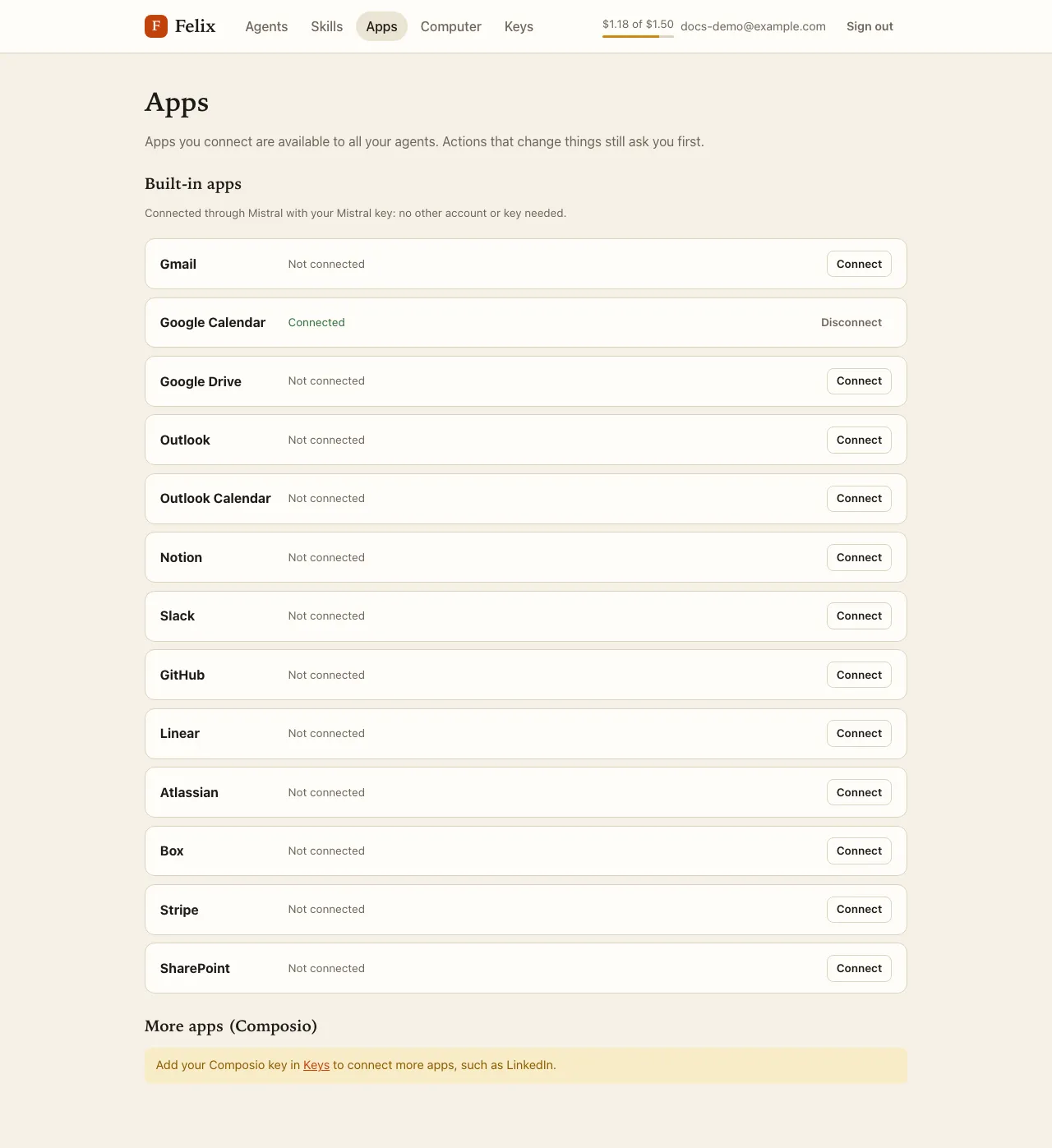
Mistral hosts connectors for common apps, and Felix uses them with your Mistral API key: no other account or key. The built-in apps are Gmail, Google Calendar, Google Drive, Outlook, Outlook Calendar, Notion, Slack, GitHub, Linear, Atlassian, Box, Stripe and SharePoint.
Open Apps in the top bar. Built-in apps come first:
Connect an app
Section titled “Connect an app”- Press Connect next to the app. The app’s own sign-in page opens in a new tab (Google’s for Gmail, for example).
- Allow access there. You come back to the Apps page, which shows Connected.
The account is kept by Mistral, for the Mistral account your key belongs to. Connections belong to your Felix account, not to one agent: every agent can use a connected app, from its next task on.
What agents may do with it
Section titled “What agents may do with it”- Reading runs freely: listing events, searching mail, reading a page.
- Every other action waits for your approval: creating an event, sending an email, commenting on an issue. You get the same approval cards, editable drafts, Always allow rules and Activity as for any action.
Statuses
Section titled “Statuses”| Status | Meaning |
|---|---|
| Connected | Your agents can use it. Disconnect removes your accounts of that app for all your agents (Felix asks first). |
| Not connected | Press Connect. |
| Reconnect needed | The app no longer accepts the account (for example you revoked access). Press Reconnect. |
| Status unknown | Mistral did not answer; the page tries again when you come back to it. |
Without a Mistral key, the list asks you to add one on the Keys page.
Gmail, Google Calendar, Google Drive, Outlook, Notion, Slack, GitHub and Linear are only built-in apps: the Composio list does not offer them, and agents use the built-in app (or ask you to connect it).